> For the complete documentation index, see [llms.txt](https://docs.deorderbook.com/llms.txt). Markdown versions of documentation pages are available by appending `.md` to page URLs; this page is available as [Markdown](https://docs.deorderbook.com/sniper-and-bullet/bullet-raffle.md).
# BULLET Raffle
A daily auction for eligible users to claim BULLETs
[Locking $DOB](/usddob/locking-usddob.md) allows for two types of rewards. One of these rewards is the ability to manually claim a share of BULLET tokens from a daily BULLET Raffle.
### Where do the BULLETs distributed in the BULLET Raffle come from?
Whenever a [DeOrder](/deorders/explaining-a-deorder.md) is placed using a certain amount of HODL tokens, a matching amount of [SNIPER and BULLET](https://github.com/DeOrderBook/deorderbook-docs/blob/main/sniper-and-bullet/broken-reference/README.md) tokens is generated.\
\
Once generated, BULLET tokens are sent to the Treasury, where 20% is collected as protocol fees. The remaining 80% is distributed as rewards to eligible users who have locked a qualifying amount of `$DOB` to participate in the BULLET Raffle.
### Who is eligible to claim BULLETs from the BULLET Raffle?
A [Gerege Gold NFT](/gerege-nft-program/gerege-gold.md) is required for users to claim BULLETs. In addition, there is a daily eligibility threshold of 1000 locked `$DOB`, required to be met in order to to participate in the BULLET raffle.
Once the required amount of `$DOB` has been locked, users will be notified of receiving the right to claim BULLETs that day. Users should make sure to claim their share of BULLETs before their right expires!
### How do I claim BULLETs from the BULLET Raffle?
BULLET rewards can be claimed on the [Lock page](/dob-website/lock.md), via the below process.
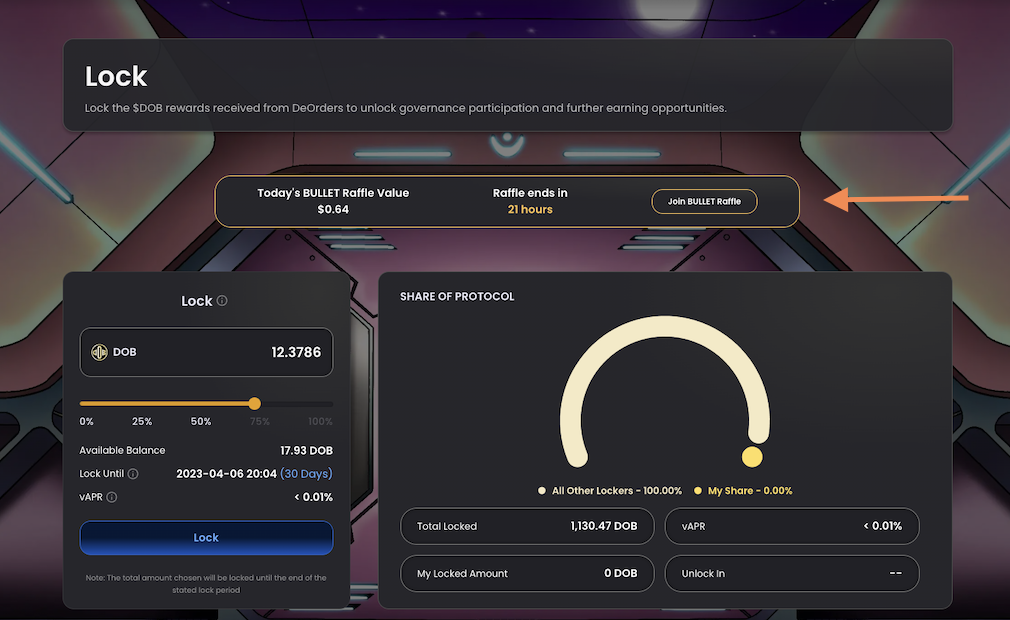
1. Navigate to the Lock page, and enter the BULLET raffle via the modal at the top of the screen.
Join the BULLET Raffle!
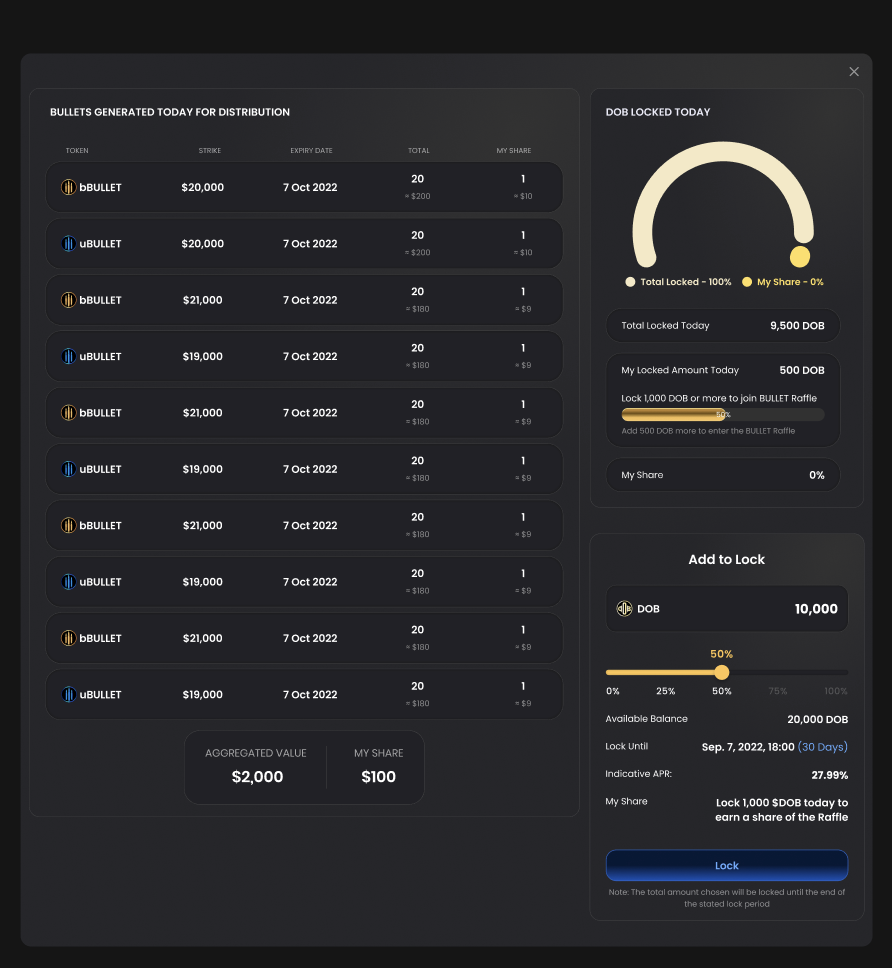
2. On the BULLET Raffle, a list of the BULLETs available for claiming in the Raffle that day will be shown.
Make sure you've reached that eligibility threshold...
If you haven't yet reached the daily qualification threshold of locking 1000 `$DOB`, you won't be able to claim. So once you qualify, don't waste your chance to grab a share of BULLETs!
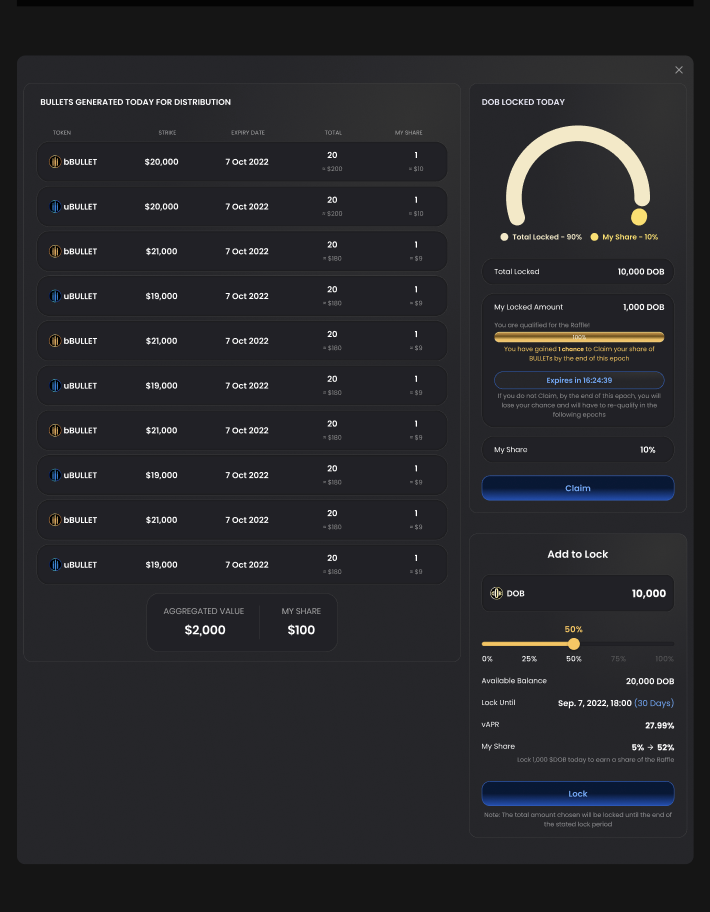
2. Look for the blue 'Claim' button in the middle right side of the page, just above the 'Add to Lock' section.
On the BULLET Raffle page, you can claim BULLETs or lock more of your earned DOB
3. Select 'Claim' and wait for the transaction to go through on Metamask: watch out for the coin-flipping waiting GIF!
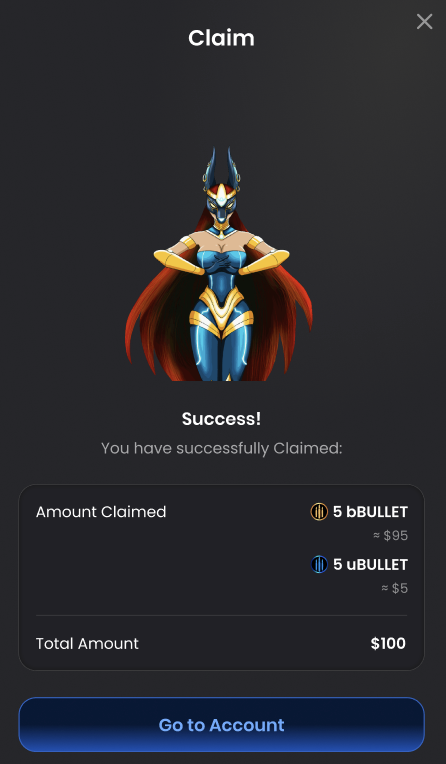
4. Once the transaction is processed successfully, you'll be shown a pop-up with the details of the BULLETs you were succesfully able to claim.
A BULLET a day keeps the Oracle away...
### Tutorial Video 🎥 : Claiming BULLET Rewards from Raffle
{% embed url="" %}
Join the Daily Raffle to claim your share of daily generated BULLET tokens.
{% endembed %}